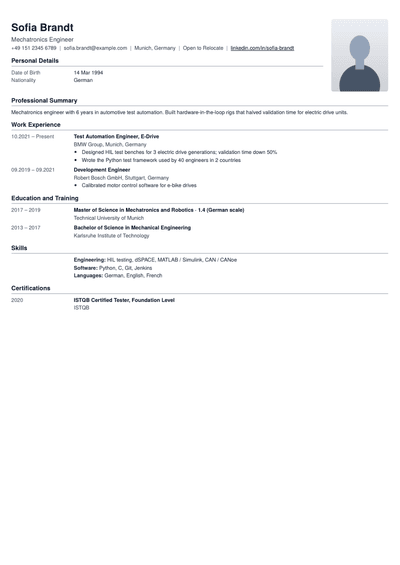
ATS-friendly resume templates that reach a real recruiter
Single-column templates that applicant tracking systems read correctly, section by section. Your experience, skills and education come through intact, so your resume lands in front of a person.
An applicant tracking system, or ATS, is the software most large employers use to collect and sort applications. Jobscan's 2026 ATS usage report found one in use at 97.4% of Fortune 500 companies. When you apply, it pulls the text out of your file and splits it into fields such as name, job titles, dates, skills and education. Recruiters then search and filter those fields. If the software reads your resume wrongly, a job title can land in the wrong place or a whole section can vanish, and you never show up in the search, however qualified you are.
How does an ATS rank resumes?
Once your details sit in fields, the recruiter searches for a job title, skills and sometimes years of experience or location. Many systems then rank applications by how closely they match those terms. A resume that names the right skills in the right sections climbs the list. One that hides them in a graphic, a header or an unusual heading slides down, even when the experience is a perfect fit.
What makes a resume template ATS-friendly?
One column, read top to bottom. Side columns can be read in the wrong order or mixed into your work history.
Standard section headings such as Experience, Education and Skills, so the software knows what each part is.
Real text everywhere. Skill bars, icons, logos and text inside images carry no readable words.
Contact details in the body of the page, not in a header or footer that some systems skip.
Plain fonts and clear dates, written the same way on every line, such as Jan 2024 to Present.
Every template on this page follows these rules, so you can focus on what you write instead of how the software will read it.
Which sections should an ATS resume have?
Contact details: name, phone, email, city and a LinkedIn link.
Summary: two or three lines naming your role and strongest results.
Experience: job title, company, dates and bullets that show results.
Education: degree, college and year.
Skills: the tools and abilities from the job post that you actually have.
Projects, certifications and achievements are welcome too, as long as they sit under plain headings like these.
An ATS-friendly resume format, line by line
Name on its own line, then phone, email, city and LinkedIn on one line below, as plain text.
"Summary" heading, then two or three lines with your title, years of experience and best result.
"Experience" heading. For each role: job title, company, city, and dates in one style, then three to five bullets.
"Education" heading, with degree, college and year.
"Skills" heading, with skills grouped by type and separated by commas.
Optional "Certifications" or "Projects" headings, in the same style.
That is the whole format. Every line is text, every heading is a word the software recognises, and nothing depends on colour or position to make sense.
Do keywords matter as much as layout?
A clean layout only gets your resume read. Ranking well in a recruiter's search depends on whether your resume uses the words in the job description. If a role asks for SQL, Power BI and stakeholder management, and you have those skills, name them exactly that way in your skills section and in the bullets where you used them. Do not paste in skills you do not have. To see which words from a job post are missing, compare the two in the resume keyword scanner.
Where to put keywords on an ATS resume
Headline and summary: the exact job title from the post, if it matches what you do.
Skills section: the tools and methods the post names, written the same way.
Experience bullets: the same skills again, inside the result where you used them. A skill that appears in context counts for more with both software and people.
Avoid hiding keywords in white text or repeating them in a block. Many systems flag it, and recruiters notice.
Which file type should you send?
Modern applicant tracking systems read text-based PDFs well, and a PDF keeps your layout exactly as you designed it on every screen. The only exception is when a job posting asks for a specific file type, in which case send what they ask for. Every template here downloads as a clean, text-based PDF.
How to test your resume before you apply
The surest way to know what a system sees is to test your resume. Run it through the NextRaise ATS resume checker, see which sections and skills were picked up, and compare the result with the job description. Fix any missing section or skill, then check again. It takes a few minutes and saves you from silent rejections.
Which mistakes trip up an ATS?
Creative headings. "Where I have worked" or "My journey" may not be recognised as an experience section. Stick to Experience, Education, Skills and Projects.
Skill ratings as bars or stars. The software cannot read a graphic, so the skill names next to them may be all it sees, or nothing at all.
Abbreviations with no full form. Write "Search Engine Optimisation (SEO)" once, so you match both versions a recruiter might search for.
Dates in mixed formats. Pick one style, such as Mar 2023, and use it on every line so your work history is read in order.
One resume for every job. A resume tuned for one role can rank poorly for another. Adjust your summary and skills for each application.
Does ATS-friendly mean boring?
No. A resume can be clean and still look professional. Good spacing, one accent colour, a clear hierarchy of headings and consistent dates make a page easy on the eye for both the software and the recruiter who reads it next. What you give up is decoration that carries no information, and recruiters rarely miss it.
Which ATS-friendly template should you choose?
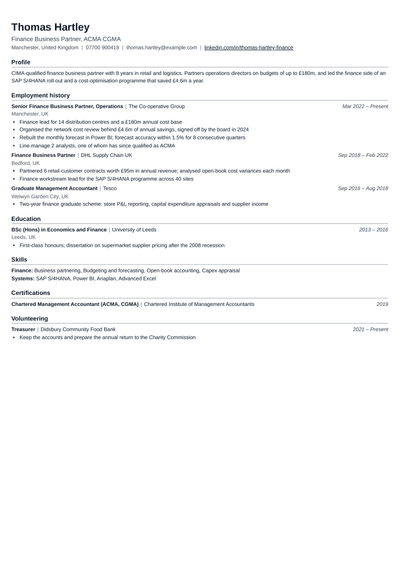
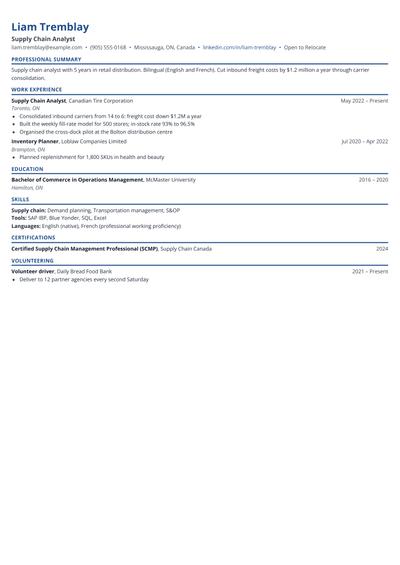
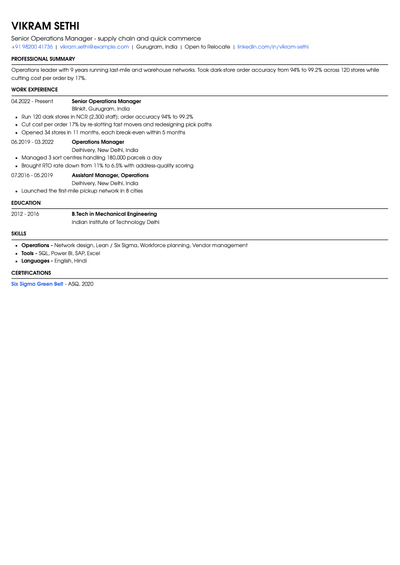
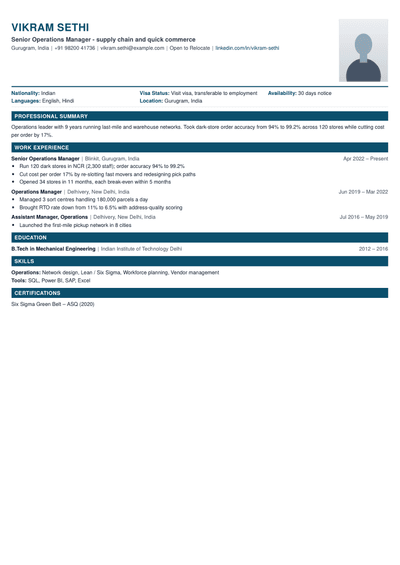
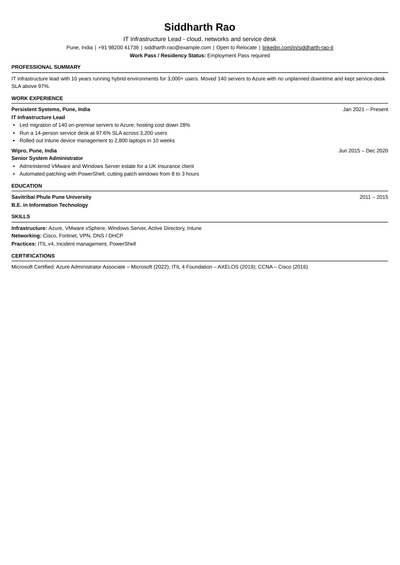
Harvard Style: the classic, centred layout that works for almost any role and experience level.
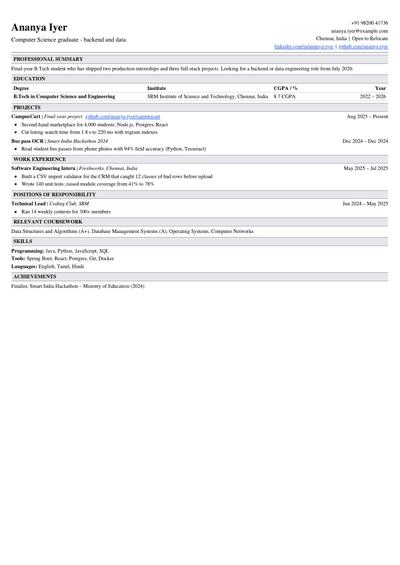
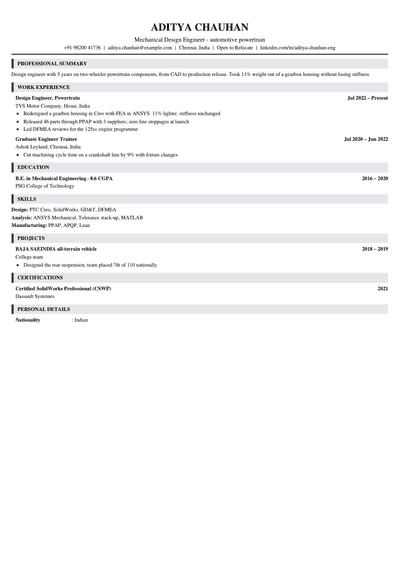
LaTeX Classic: a dense one-page format popular in tech and engineering.
Fresher: for your first job, with education and projects at the top.
Pick the one that fits your field and experience, add your details, and check your score before you send it.
A resume that applicant tracking software can read correctly: one column, standard section headings, real text instead of images and clear dates. It makes sure your details reach the recruiter intact.
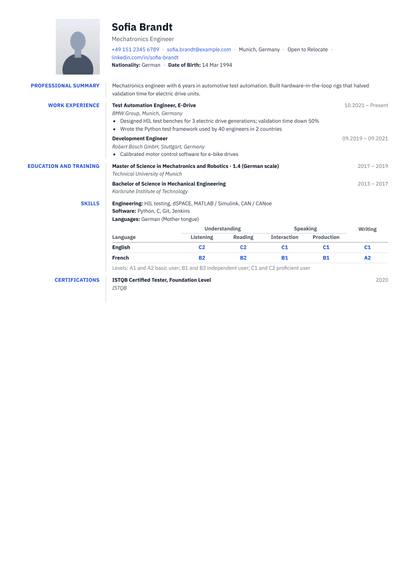
Are two-column resumes bad for ATS?+
Not always, but they are riskier. Some systems read across both columns line by line and mix up your sections. If you apply through online forms at large companies, a single-column template is the safer choice.
Can an ATS read a PDF resume?+
Yes. Most modern systems read text-based PDFs well. Problems come from scanned PDFs or text saved as an image, which have no readable words. Send another file type only if the job posting asks for it.
How do I check if my resume is ATS-friendly?+
Run it through an ATS check. NextRaise shows your score and which sections were read, so you know exactly what to fix before you apply.
Which fonts are best for an ATS-friendly resume?+
Simple, widely available fonts such as Arial, Calibri, Garamond or Georgia, at 10 to 12 points for body text. Avoid decorative or script fonts, which can turn into unreadable characters when the text is pulled out.
Do all companies use an ATS?+
Most large companies and many mid-sized ones do, along with most job sites that let you apply in one click. Small startups may read every resume by hand. Since you rarely know which it is, an ATS-friendly resume is the safe default.
Can I use tables or icons in an ATS resume?+
It is best to avoid them. Tables can be read cell by cell in the wrong order, and icons for phone or email carry no text. Write labels in plain words, such as Phone and Email, and use simple lists instead of tables.
Should I use a different resume for each job?+
Keep one master resume, then adjust the summary, skills and top bullets for each role so they use the words in that job post. It takes a few minutes per application and can lift where your resume ranks in a recruiter's search.
Get your resume past the software and in front of a recruiter
Pick an ATS-friendly template, add your details and see your score before you apply.